
When did you last back up your switches?
There’s probably a switch configuration saved somewhere. Perhaps it’s in a shared folder, or attached to the notes from the last maintenance job. The awkward question is whether it was saved before or after the changes made since then.
Manual backups are easy enough to take, but remembering to take another one after every change is a different matter. When a switch fails, finding a file is only the start. You still need to know which device it came from, how recent it is and whether it contains the configuration you need.
Check the last success, not just the schedule
A regular backup schedule helps, provided someone checks the results. An activity can remain enabled while collection fails because a password changed, SSH access was blocked or the machine doing the work was unavailable. The latest attempt and the latest successful backup may be several days apart.
A useful routine is to look through the important switches and check the timestamp of their last successful backup. Open the retained configuration as well. If there’s a gap, follow it back to the collection result rather than assuming the schedule has taken care of it.
Comparing versions also helps make sense of what you’ve got. A difference might match an approved change, or it might need a conversation with the team. Either way, it’s easier to review it while the work is still fresh than during a replacement job.
Keeping a history in OPIA
OPIA collects running configurations over SSH from supported Cisco IOS and IOS-XE devices. You can take a manual backup or set up a scheduled Backup activity. Its background Agent runs scheduled work even when the console is closed, but the Agent must be healthy and the devices need usable credentials and the required licence entitlements.
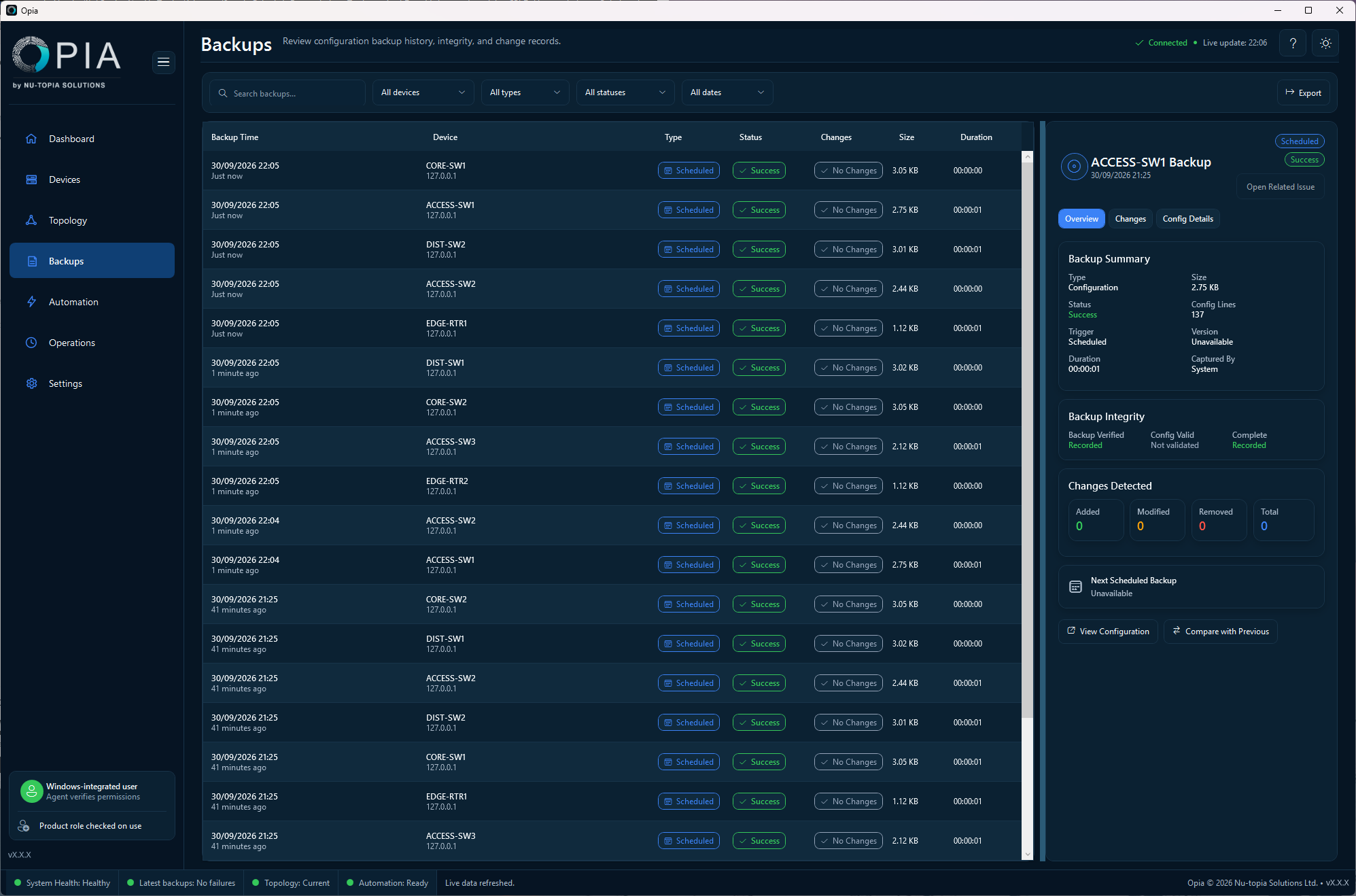
The history records successful and failed attempts, so you can see when collection stopped working. Once there’s an earlier successful backup, OPIA can show whether the configuration changed and offer a line-by-line comparison. The first successful collection simply gives you a baseline.
A failed collection doesn’t replace the last known-good backup. That’s useful, but it also makes the timestamp worth paying attention to: the retained file may be older than you expect. Collection history tells you about those attempts; it isn’t continuous monitoring of the switch.
Think through the replacement job as well
Check where the files are kept, how long they’re retained and who can get to them when needed. A configuration file still needs to be reviewed for the replacement equipment and applied through your normal recovery process. OPIA doesn’t automatically restore it to a switch, and its configuration backups don’t include the OPIA credential vault or stored secrets.
A recent, checked backup gives you a better starting point. It’s worth making the occasional review part of the routine, alongside taking the backups themselves.
The OPIA backup documentation covers history and comparisons, with a separate guide to setting up schedules.